Mount
“Mounts are far more than a speed boost—they're a whole new way to explore the world of Tyria. Unlock and train your new companions using the max-level Mastery character progression system, and explore freely by leaping across canyons, bounding up high cliffs, and skimming over quicksand.
— Official site

Mounts are creatures used to enhance travel through the world of Tyria and certain parts of The Mists. They are available through the Guild Wars 2: Path of Fire, Guild Wars 2: End of Dragons, Guild Wars 2: Secrets of the Obscure, and Guild Wars 2: Janthir Wilds expansions. Two additional mounts can be obtained through the Living World Season 4, with the Roller Beetle in Episode 3, Long Live the Lich, and the Skyscale in Episode 6, War Eternal, or Secrets of the Obscure. The Warclaw was obtainable exclusively through World versus World but that changed with the Janthir Wilds release. Guild Wars 2: End of Dragons added the Siege Turtle.
Types and acquisition[edit]
There were five mounts released with the Path of Fire expansion, each tied to the mastery system with its own mastery tracks. Living World Season 4 introduced two additional mounts, Roller Beetle and Skyscale, each with their own additional mastery tracks. Another mount, the Warclaw, was also introduced in World versus World, and its abilities were tied to the World Experience system. Finally, End of Dragons introduced the Siege Turtle, with its own mastery track. Currently, Raptor can be obtained by owning at least one of the expansions, and Springer can also be obtained in End of Dragons or Janthir Wilds, but their mastery tracks cannot be trained without Path of Fire. The Skyscale and Warclaw were expanded upon with Secrets of the Obscure and Janthir Wilds respectively, and both have their own mastery tracks in their expansions.
Each mount has its own unique set of abilities and characteristics; they also possess one offensive skill that, when used, dismounts the player. Their skills are documented on the individual mount pages, linked from the first column of the following table.
| Mount | Acquisition | Notes |
|---|---|---|
| Raptor | Reach level 10 (or the next multiple of 10) on a single character.
|
|
| Springer |  Path of Fire: Path of Fire:
|
|
| Skimmer | Path of Fire:
|
|
| Jackal | Path of Fire:
|
|
| Griffon | Path of Fire:
|
|
| Roller Beetle |  Living World Season 4: Episode 3 - Long Live the Lich: Living World Season 4: Episode 3 - Long Live the Lich:
|
|
| Warclaw | Path of Fire:
|
|
| Skyscale | Living World Season 4:
|
|
| Siege Turtle |  End of Dragons: End of Dragons:
|
|


- Certain mounts can be rented for a short period during festivals or specific events, as well as for certain adventures, and may only be used in the map they were rented in.
Mechanics[edit]
Once unlocked, mounts can be used by any character on the player's account. Mounts can be summoned any time using the X default key. Right-clicking the skill icon will also allow you to choose one of your unlocked mounts. Pressing the same key will dismount you a short distance from the ground, meaning you can dismount and then glide. Player characters themselves are immune to fall damage while mounted; with certain exceptions, they will instead be forcibly dismounted and knocked down. This does not, however, impact the mount in any way; the player can mount again once the character recovers.
A player cannot mount while in combat, in a Mounts Disabled zone, or an area where the mount would not fit. Being in combat does not affect the movement speed of a mount. Entering a  Mounts Disabled zone will dismount the player.
Mounts' health, stamina and engage skill damage are all separate and independent from the player's gear.
Default key for Mount Action 1 is V and Mount Action 2 is C. A mount's Engage skill is triggered with 1. See the individual mount pages for further skill details.
Endurance[edit]
Mounts have their own endurance bar (sometimes referred to as "mount energy") that serves as a resource for their special movement abilities. The mount endurance bar percentage is shared between mounts, but not shared with the player's endurance bar. The time it takes for the endurance bar to refill varies with each mount.
Equipping a jade bot Mount Energy Booster 1, 2, or 3 increases mount endurance regeneration by 10, 20, or 30%, respectively. The Well Rested mastery from the Warclaw Mount mastery line permanently increases mount endurance regeneration by 20%.
Using the Bond of Vigor skill greatly increases mount endurance regeneration for a short duration. On a skyscale, it will instantly refill the mount endurance bar instead.
Food effects and the Vigor boon have no impact on mount endurance regeneration.
Mastery skills[edit]
The following additional skills are unlocked and available on all mounts when their respective mastery is fully trained.
| Skill | 
|
Description | Mastery | |
|---|---|---|---|---|
| 6 | Bond of Life | 180 | Temporarily grant your mount the use of your own health pool at the risk of being downed in your mount's place. | Bond of Life |
| 7 | Bond of Vigor | 60 | Increase your mount's endurance regeneration. | Bond of Vigor |
| 8 | Bond of Faith | 30 | Launch off of your mount! | Bond of Faith |
| 9 | Stealth | 40 | Grants stealth to you and your mount. | Ash Legion Mount Stealth |
| 9 | Stealth 2.0 | 30 | Grants stealth to you and your mount. | United Legions Waystation Mastery |


Related equipment[edit]
Jade Bot equipment that improve this mechanic[edit]
 Mount Energy Booster 1 - Boosts mount energy regeneration by 10%.
 Mount Energy Booster 2 - Boosts mount energy regeneration by 20%.
 Mount Energy Booster 3 - Boosts mount energy regeneration by 30%.
Mount skins[edit]

“Use a random mount skin each time you summon a mount. (Only picks from your favorites if any have been selected.)
— Randomize Mounts
Mount skins can be unlocked account-wide by purchasing them in the Gem Store, and they can be changed for unlocked mounts at any time in the hero panel (default H). The skins have only cosmetic effects; there are no gameplay advantages associated with them. Every skin can be dyed (as long as a Mount Mastery has been unlocked) and has up to four dye channels (one for the default skins) to customize colors, with some skins also having altered models and special effects. Applying a skin does not cost any Transmutation Charge.
Add/Remove from Favorites: Skins can be added to Favorites by placing the cursor on the top right corner and clicking on the  heart icon.
Randomize Mounts: Skins can be also randomized by selecting the Randomize Mounts option. If no skin has been added to Favorites, it will cycle through all unlocked skins upon summoning a mount.
List of mount skins[edit]
- See also: Gallery of mount skins
- See also: Gallery of mount theme skins
Raptor[edit]
 Archaius Sprinter
  Astral Ward Feathered Raptor
  Aurene's Prismatic Raptor
  Auric Salamander
  Aurora Blessed Canthan Raptor
  Aurora Blessed Feathered Raptor
  Awakened Raptor
  Bioluminescent Raptor
  Blazing Canthan
  Blazing Feathered Raptor
  Branded Raptor
  Canthan Raptor
  Canyon Spiketail
  Charged Feathered Raptor
  Coastal Spiketail
  Cozy Wintersday Raptor
  Crested Plainsrunner
  Dark Matter Raptor
  Darkmist Prowler
  Dreadnought
  Dzalana Ice Scale
  Elegant Pool Canthan
  Exalted Gate Guardian
  Exo-Suit Raptor
  Feinting Smoke Canthan
  Flamelander
  Gallant Lightbearer
  Glacial Canthan
  Grand Barbel Canthan
  Imperial Crane
  Island Sprinter Feathered Raptor
  Jade Tech Raptor
  Kintsugi Raptor
  Lahtenda Bog Hunter
  Lithosol
  Luminous Prowler
  Mad King Raptor
  Mad Realm Raptor
  Marshland Sage Canthan Raptor
  Marshland Salamander
  Masked Runner
  Ntouka Snakescale
  Plush Raptor
  Primal Maguuma Feathered Raptor
  Primeval
  Primordial Raptor
  Pyroclast Canthan Raptor
  Raptor
  Resplendent Avialan
  Roadrunner
  Savannah Monitor
  Shiverpeaks Raptor
  Sky Runner Feathered Raptor
  Southsun Feathered Raptor
  Spooky Raptor
  Star Blessed Canthan
  Starlit Sky Feathered Raptor
  Starscale
  Storm Ridge
  Striped Jarin
  Striped Pool Canthan Raptor
  Striped Tri-horn
  Super Outlaw Raptor
  Veiled Chameleon
  Venomous Feathered Raptor
  Vital Geode
  Wild Trihorn
  Windswept Mystic Canthan Raptor
Springer[edit]
 Alloyed Irontail
  Arctic Jerboa
  Aurene's Prismatic Springer
  Awakened Springer
  Blazing Cuckoo
  Branded Springer
  Brisban Brushtail
  Caledon Short-Tail
  Canthan Cuckoo
  Cascade Heeler
  Cozy Wintersday Springer
  Darkmist Cuckoo
  Desert Lop
  Elonian Jackalope
  Exalted Ley Vaulter
  Exo-Suit Springer
  Fisher Lord Cuckoo
  Glacial Cuckoo
  Infernal Horror
  Issnur Long Hair
  Kourna Jackrabbit
  Krytan Lop
  Lake Lord Cuckoo
  Lucent Cuckoo
  Lucent Long Ear
  Mad King Springer
  Mad Realm Springer
  Maguuma Jackrabbit
  Nightkissed Cuckoo
  Painted Mesa
  Pleasant Country Cuckoo
  Plush Cuckoo
  Primal Hare
  Primeval
  Sargol Thunderer
  Savannah Stripetail
  Shiverpeaks Springer
  Sinister Feline
  Spooky Springer
  Spotted Springtail
  Springer
  Star Blessed Cuckoo
  Starfall
  Stormy Cuckoo
  Striped Cuckoo
  Summit Wildhorn
  Sun Temple Gecko
  Tawny Hare
  Tiger-Breasted Cuckoo
  Timberland Badged
  Vital Geode
  Whistling Tranquility Cuckoo
  Windy Spot
  Woodborn Scout Cuckoo
  Woodland Sprite
Skimmer[edit]
 Alluring Devilfish
  Arid Hammerhead
  Aurora Blessed Skimmer
  Awakened Skimmer
  Banded Wave Fin
  Branded Skimmer
  Bright Ringfin
  Cozy Wintersday Skimmer
  Dajkah Lantern
  Dappled Reef Glaucus
  Elonian Waverider
  Enchanted Skimmer
  Exalted Sea Sentry
  Exo-Suit Skimmer
  Iceberg
  Kintsugi Skimmer
  Lithosol
  Luminous Ray
  Mad King Skimmer
  Mad Realm Skimmer
  Magnificent Hummingbird
  Mossback
  Oasis Skate
  Oceanic Broadtail
  Oceanic Ray
  Open Ocean Glaucus
  Primeval Skimmer
  Primus Beta
  River Moth Wing
  Sand Souled
  Shell Surfer
  Shiverpeaks Skimmer
  Skimmer
  Southsun Torpedo
  Spined Longtail
  Spooky Skimmer
  Spotted Orchid
  Spotted Predator Skimmer
  Stardrift
  Synergetics Hoverbike
  Umbral Demon
  Volcanic Ray
Jackal[edit]
 Alloyed Quicksilver
  Armored Wolf
  Aurora Blessed Vulpine
  Awakened Jackal
  Banded Mystic
  Blazing Vulpine
  Branded Jackal
  Canthan Vulpine
  Ceylon Cut
  Cozy Wintersday Jackal
  Crowned Ancient
  Darkmist Moorhound
  Darkmist Vulpine
  Deep Sea Jackal
  Desert Shiba
  Dune Mastiff
  Exalted Ley Hunter
  Exo-Suit Jackal
  Fluffy Samoyed
  Fulgurite Ridgeback
  Glacial Vulpine
  Glacial Wolf
  Heavenly Thunder Vulpine
  Hidden Paths Vulpine
  Howling Wolf Jackal
  Iceflow
  Jackal
  Kintsugi Jackal
  Kirin
Kirin  Land Speckled Vulpine
  Liminal Moorhound
  Lucent Sands
  Lucent Vulpine
  Luminous Jackal
  Mad King Jackal
  Mad Realm Jackal
  Mirror Masked
  Mischievous Woods Vulpine
  Mordrem Alpha
  Mystic Elder Vulpine
  Noble Aurochs
  Oceanic Vulpine
  Plush Vulpine
  Polished Stone
  Primal Spirit
  Primeval
  Pyroclast
  Reforged Warhound
 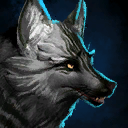 Ring-Tailed Vulpine
  Royal Anubis
  Shiverpeaks Jackal
  Shrine Guardian
  Sleek Dunerunner
  Spooky Jackal
  Star Blessed Vulpine
  Stardust
  Sun Stalker
  Synergetics Cyberhound
  Taiga Lupine
  Tidal Lightpaw
  Twin Sands
  Vabbian Lightpaw
  White Tiger
Griffon[edit]
 Arctic Icewing
  Aurene's Prismatic Griffon
  Aurora Blessed Tigris
  Awakened Griffon
  Badlands Stalker
  Blazing Tigris
  Branded Griffon
  Canthan Tigris
  Cloud Stalking Tigris
  Clouded Corvus
  Cozy Wintersday Griffon
  Crested Southernland
  Crowned Skyfisher
  Darkmist Shrike
  Darkmist Tigris
  Enchanted Owl Griffon
  Exalted Sky Sentry
  Exo-Suit Griffon
  Fire Pinion
  Forest Guardian Tigris
  Gendarran Hawkeye
  Glacial Tigris
  Grand Lion
  Griffon
  Heavenly Thunder Tigris
  Highlands Harrier
  Istani Bald
  Jungle Heart Tigris
  Kournan Bright-Tail
  Lithosol
  Lucent Tigris
  Luminous Hunter
  Mad King Griffon
  Mad Realm Griffon
  Molten Phoenix
  Moonshadow Bat
  Nightfang
  Northern Feather Wing
  Phosphor Coast Osprey
  Plush Griffon
  Point-Tipped Corvus
  Primeval
  Qinkaishi Tigris
  Sacred Pegasus
  Sand Souled
  Scaled Hellwing
  Scaled Netherwing
  Shiverpeaks Griffon
  Shiverpeaks Pileated
  Sky Bandit
  Skyborne Sprinter Tigris
  Snow Stalker
  Spooky Griffon
  Spotted Sylph
  Star Blessed Tigris
  Starbound
  Storm Chaser
  Sunrise Macaw
  Swirling Mists Tigris
  Tufted Night Eye
  Vital Geode Griffon
  Wolf Griffon
Roller Beetle[edit]
 Alloyed Construct
  Arctic Razor
  Awakened Roller Beetle
  Branded Roller Beetle
  Colossal Ladybird
  Deep Desert Scarab
  Exalted Way Seeker
  Exo-Suit Roller Beetle
  Flame-Brushed Roller Beetle
  Funerary Scarab
  Great Lavashell
  Jagged Kournan
  Luminous Roller
  Nautiloid
  Ntouka Snakeshell
  Primeval
  Roller Beetle
  Spineshell *
 Starshell
  Striped Bahdzan
  Swift Stinger Roller Beetle
  Synergetics Gyrocycle
  Trailblazer
  Tremor Armadillo
Warclaw[edit]
 Armored Tiger
  Assault Warclaw
  Aurene's Prismatic Warclaw
  Battle Horn Nian
  Bighorn Charger
  Blazing Nian
  Branded Warclaw
  Brushtail Nian
 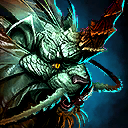 Canthan Nian
  Charged Caprine Warclaw
  Dark Hunter Nian
  Dense Haar Caprine Warclaw
  Divine Predator Nian
  Embermane Warclaw
  Enchanted Warclaw *
 Exalted Mists Champion
  Exo-Suit Warclaw
  Glacial Caprine Warclaw
 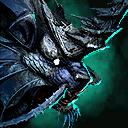 Glacial Nian
  Guildrider Warclaw
  Heavenly Thunder Nian
  Highland Caprine Warclaw
  Hound of Balthazar
  Iceforged Reaver
  Janthir Wilds Warclaw
  Kinya Nian
  Luminous Raider
  Luminous Warlord Nian
  Mad Realm Warclaw
  Outrider Warclaw
  Panda Warclaw
  Plated Conqueror Warclaw
  Plush Tiger *
 Renegade Warclaw
  Sand Lion
  Savage Gladiator
  Scaled Hellcat
  Shoal Slayer Nian
  Spinetail Nian
  Spotted Plower Caprine Warclaw
  Starclaw
  Stormclaw
  Striated Caprine Warclaw
  Striped Grimalkin
  Tiger Soul Nian
  Tundra Grimalkin
  Unyielding Haechi
  Vanguard Warclaw
  Vigilant Saberclaw
  Vital Geode
  War-Torn Marauder
  Warclaw
Skyscale[edit]
 Aeolian Spikes Noble
  Astral Ward Manticore
  Aurene's Prismatic Noble
  Aurene's Prismatic Skyscale
  Aurora Blessed Noble
  Auspicious Pixiu
  Axejaw Skyscale
  Bearded Dragon
  Bioluminescent Skyscale
  Blazing Manticore
  Branded Skyscale
  Broad-Horn Bull
  Caldera Skyscale
 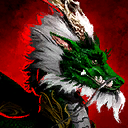 Canthan Noble
  Charged Manticore
  Cozy Wintersday Skyscale
  Dark Monarch Skyscale
  Darkmist Terror
  Enchanted Lancer Noble
  Exalted Sky Emperor
  Flare-Marked Skyscale
  Frostsoul Skyscale
  Gilded Shortfang
  Glacial Noble
  Glademire
  Heavenly Thunder Noble
  Hooded Cobra Noble
  Hooded Viper Noble
  Hundred Petals Noble
  Incarnate Flame
  Kryptis Skyscale
  Lepidote Brute Manticore
  Luminous Manticore
  Lunar Maned Skyscale
  Moth-Marked Skyscale
  Mountain Hopper Manticore
  Oceanic Noble
  Phialslinger Manticore Skyscale
  Plush Skyscale
  Primal Maguuma Feathered Manticore
  Raging Breeze Noble
  Regal Moth Skyscale
  Scaled Saurian Manticore
  Shattered Nightscale
  Shimmerwing
  Skyscale
  Skywatch Manticore
  Speckled Shortfang
  Star Blessed Manticore
  Star Blessed Noble
  Stargaze
  Steamwork Skyscale *
 Stormscale
  Stripe-Winged Skyscale
  Synergetics Cyberscale
  Venomous Greathorn
  Wandering Breeze Noble
  Winged Axolotl Skyscale
Siege Turtle[edit]
 Aurora Blessed Turtle
  Charged Siege Turtle
  Crested Dragon
  Deepwater Barbshell
  Glacial Turtle
  Hard Lamina Siege Turtle
  Jade Tech Siege Turtle
  Luminous Bastion
  Magmaback Snapper
  Marbled Slider Siege Turtle
  Painted River
  Plush Siege Turtle
  Prehistoric Siege Turtle
  Siege Turtle
  Southern Terrapin
  Star Blessed Turtle
  Super Sophisticated Siege Turtle
(*) The mounts in the marked rows either don't appear in API:2/account/mounts/skins and API:2/mounts/skins and/or don't have an id set. Therefore it cannot be checked if the skins have been unlocked.
Gallery[edit]
- See also: Gallery of mount skins
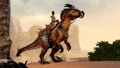
Raptor
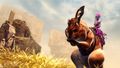
Springer
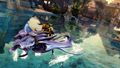
Skimmer
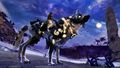
Jackal
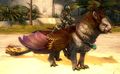
Griffon
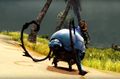
Roller Beetle
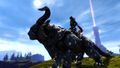
Warclaw
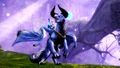
Skyscale
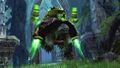
Siege Turtle


Notes[edit]
- Mounts can be dyed.
- The Options game menu allows you to set key bindings for specific mounts after you've unlocked them. There are no default keybindings for selecting specific mounts.
- Mounts benefit from certain bonuses from runes, sigils, food, and utility items, but not profession-specific bonuses.
- They gain the
 Toughness from having 1, 3, and 5 Snowfall runes.
 - They benefit from Accuracy sigils in a currently equipped weapon. Superior Sigil of Accuracy causes the mount to have 11% baseline crit chance.
- They gain the +HP/second bonus from Tropical Peppermint Cakes, but not the Vitality bonus.
- They gain the
- Mounts can be rented during seasonal festivals, even by players without access to Path of Fire.
- The Favorite and Randomization options have been added with the February 14, 2023 game update.
Trivia[edit]
- Guild Wars 2: Heart of Thorns introduced enemies which used mounts, namely the Zintl Cavalier and the Mordrem Guard Cavalier. However, these enemies did not use a proper mount system. Instead, the mounted enemy would begin attacking as a singular enemy model with shared animations and a single health pool which was replaced by two "unmounted" models with a reduced health pool via a transitional shakeoff animation after the enemy had received a certain amount of damage.
- Some skritt, such as Tirabikkr and Uttakkt, can be seen using boars as their mounts.
- Only the Raptor mount and its first two mastery skills were available during the Path of Fire preview weekend. It could still be dyed during preview.
- Mount sizes do not scale based on the race of the player character; instead they scale based on the height of the character. For example, a short asura will ride a raptor that is the same size as a raptor that a short charr rides.
- Mount health scales based on the level of the zone they are in.
See also[edit]
- Mount races
- Skiff
- Travel toys
- Guide: Mount speed research
External links[edit]
- Introduction to Mounts in Guild Wars 2, GuildWars2.com
- Advanced Mount Collecting in Guild Wars 2, Guildwars2.com
- Developer Diary: Joy of Movement on Mounts, GuildWars2.com
- Guild Wars 2: Path of Fire – Expansion Feature – Mounts, YouTube.com
- Guild Wars 2: Path of Fire – Developer Diary – Mounts, YouTube.com
- Mount Speed Information, Reddit.com
- Dev Comments/Video on Reddit regarding Griffon Use, Reddit.com
- How Guild Wars 2's mounts were made, rockpapershotgun.com